

ZeroRAM Prebuilt PCs – Build Smarter, Insert Memory Here
You may have already noticed that memory prices are at historic highs, and we’re not thrilled about it either. The rapid growth of AI infrastructure has led large technology companies to purchase massive volumes of memory for data centres. As a result, major memory manufacturers are prioritising supply for these large-scale AI operations, causing shortages and sharp price increases across consumer hardware, including PCs, laptops, and smartphones.
⚠️ Many DDR5 memory kits have increased by 100% to over 400% ⚠️
To continue delivering the high-quality Brutech systems you expect — without forcing customers to absorb inflated memory costs — we’ve introduced a smarter alternative.
Already have RAM? Found a great deal online? With Brutech ZeroRAM PCs, you can supply your own compatible memory kit. Simply place your order and send us your RAM, and we’ll install it, fully test your system, and tune it for performance and stability before it ships.
Introducing the Brutech ZeroRAM PC?
ZeroRAM is Brutech’s line of RAM-optional prebuilt systems. They include everything except memory:
-
✔️ CPU (Intel or AMD)
-
✔️ GPU (RTX or Radeon)
-
✔️ SSD Storage
-
✔️ Case & Cooling
-
✔️ PSU & Cabling
-
❌ RAM — supplied by you
You get the same high-performance gaming system, with open and tested RAM slots, and the freedom to use your own kit.
🚚 Shipping
Have RAM already?
Send it to us or arrange local collection, we’ll handle the rest.
Buying RAM online?
Ship it directly to Brutech to save time.
💰 Savings
Avoid industry-wide RAM price hikes by supplying your own memory.
No extra fees apply, and you can compare costs against our in-house pricing when configuring your PC.
🧩 Compatibility
New or used, retail or second-hand — as long as it’s compatible DDR5, it’s good to go.
Sourced from a previous build, online store, or a friend? No problem.
⚡ Performance
We’ll configure and tune your system to get the best possible performance from your supplied RAM.
Have multiple kits? Send them all; we’ll install the highest-performing one.
🧪 Testing
Your RAM is fully tested for stability and reliability in your Brutech PC.
If we detect any issues, we’ll contact you with options and return your kit with the system.
🛡️ Warranty
Your PC remains covered by Brutech warranty.
If your RAM shows faults and is still under manufacturer warranty, we’ll assist with the claim and help keep your build moving.
-
Sale!

Brutech Mythical Core Ultra 9 285K / RTX 5080 ZeroRAM PC
Original price was: R63,999.00.R61,999.00Current price is: R61,999.00. inc. VAT -
Sale!
Brutech Common Core i5-14400F / RTX 5050 8GB ZeroRAM PC
Original price was: R20,999.00.R19,999.00Current price is: R19,999.00. inc. VAT -
Brutech Fabled Ryzen 5 9600X / RX 9060XT 16GB ZeroRAM PC
R26,999.00 inc. VAT -
Sale!
Brutech Eldritch Core Ultra 7 265K / RTX 5070ti ZeroRAM PC
Original price was: R43,999.00.R42,999.00Current price is: R42,999.00. inc. VAT
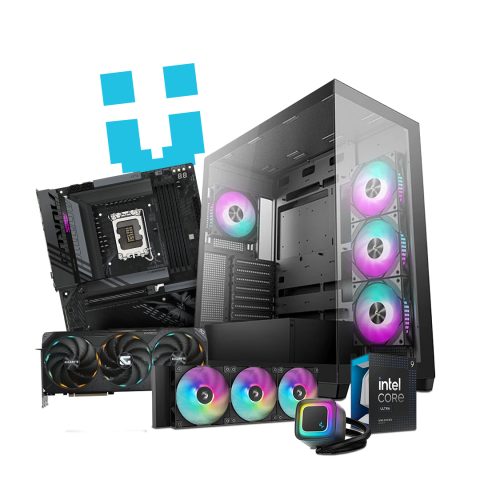
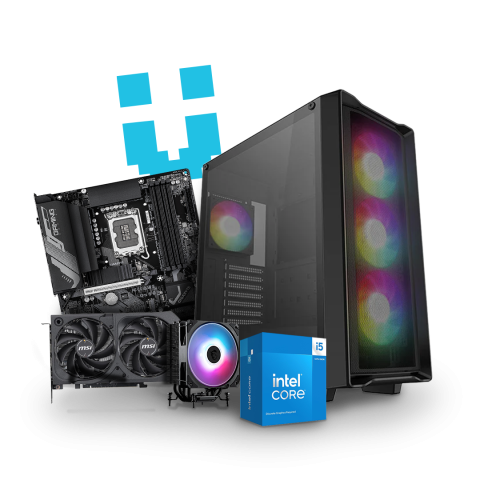
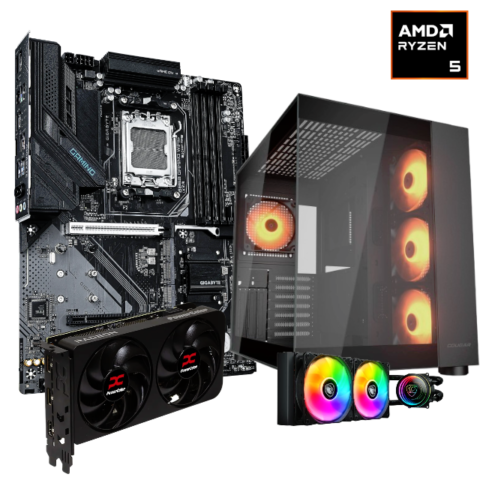
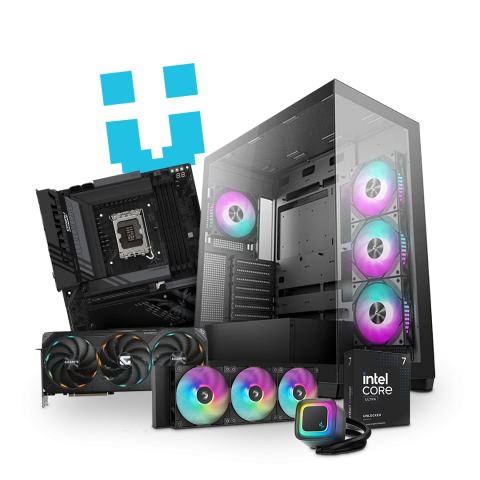
The most important compatibility factor is the DDR generation.
All current Brutech ZeroRAM systems use DDR5 memory exclusively.
DDR3 and DDR4 kits are not compatible with our current platforms.
If your RAM is not DDR5, it won’t work in these systems.
Make sure the module type matches your platform:
-
Most AMD Ryzen and Intel Core desktop PCs use Unbuffered DIMM (UDIMM)
-
Workstations using AMD Threadripper or Intel Xeon may require Registered DIMM (RDIMM)
-
Laptops use SODIMM, which is not compatible with desktops
If your RAM came from a laptop, it will not work in a desktop PC.
UDIMM and RDIMM are not interchangeable.
Modern PCs perform best with matched memory sticks (dual-channel):
-
Common and recommended kits:
-
32GB (2×16GB)
-
64GB (2×32GB)
-
128GB (2×64GB)
-
-
Mixed-capacity kits are not supported
-
Single-stick setups will work, but may reduce performance
-
Non-standard kits (24GB, 48GB, 96GB) are often supported, but can be more sensitive to tuning
A matched pair is always the safest option.
Even with the correct DDR generation and module type, stability depends on the full system combination:
-
Motherboard
-
CPU and memory controller
-
RAM capacity and speed
Important notes:
-
Very high-speed kits may require tuning
-
Four-stick configurations can be harder to stabilise
-
Used RAM can work perfectly — proper testing matters
👉 If you’re unsure, reach out to us before sending anything. We’re happy to help.
To ensure safe delivery and smooth installation:
-
Send all sticks from the same kit together
-
Use anti-static packaging and protective trays
-
You may send more than one kit if you’re unsure
→ We’ll test them all, install the best-performing option, and return the rest with your PC
Still not sure? We can help
If you have questions, or want us to confirm compatibility before you send anything, contact us and share what you know, including make/model, photos, where the RAM came from, and the PC you are looking to order. We can guide you to the best option so your system ships fully integrated, tested, and ready to go.